**The Best Hytale Console Commands and Cheats**
As a seasoned gamer, you know that having the right tools at your disposal can make all the difference between victory and defeat. In the world of Hytale, console commands are like having a superpower – they let you bend the game's rules to your will, teleporting around, spawning items, and more.
But be warned: with great power comes great responsibility! Using these commands carelessly can lead to unintended consequences, like breaking your world or getting stuck in an infinite loop. To avoid that, I've curated a list of the most useful and tested console commands for you. These are not exhaustive, but they'll give you a solid foundation to build upon.
**How to Use Console Commands in Hytale**
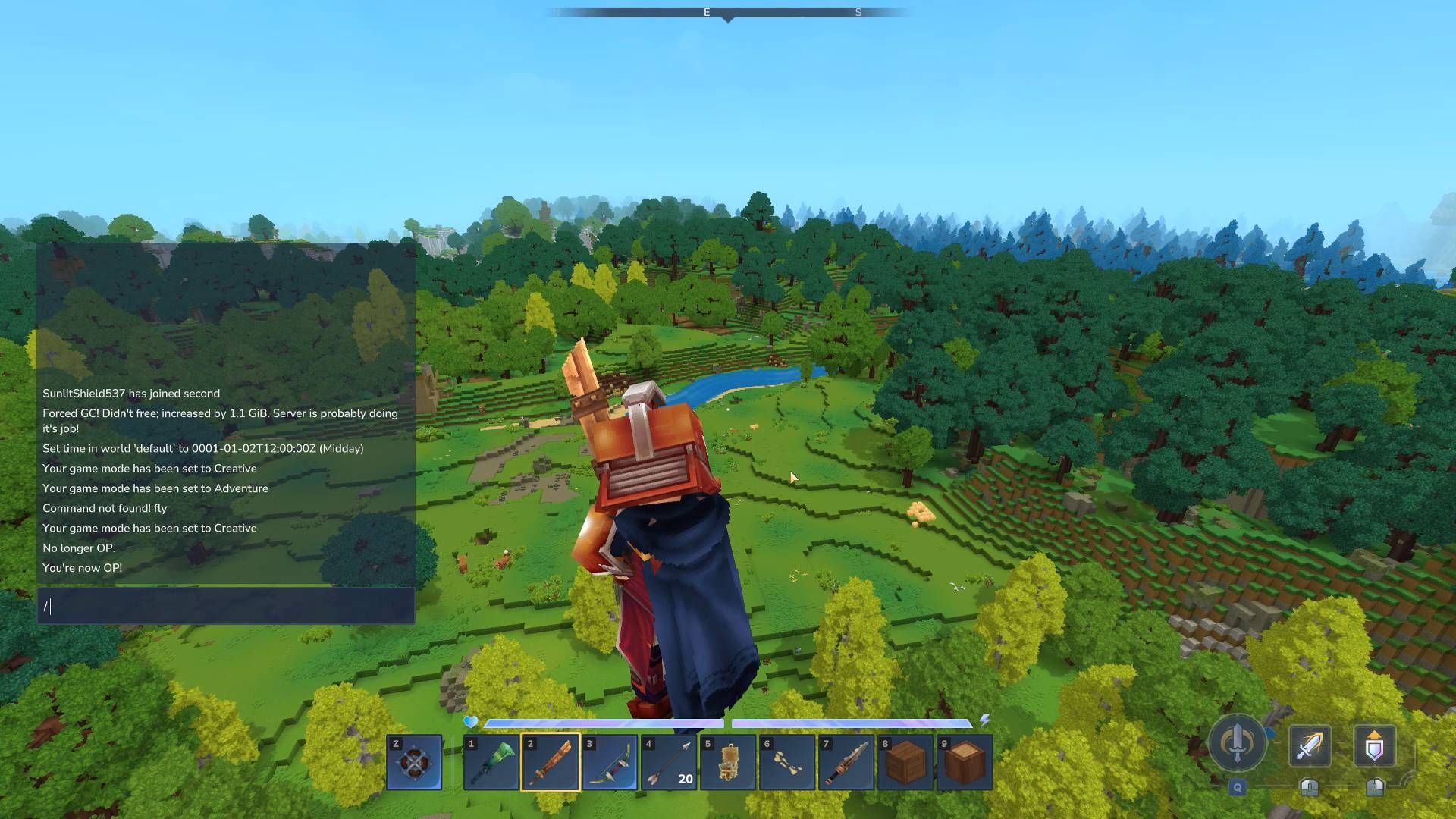
To access the console command menu, simply press `/` on your keyboard while playing the game. This will open up a text box where you can type in your desired commands.
However, to use these commands, you may need to grant yourself or other players admin control using the following options:
* `/op [player name]`: Makes the named player an admin and enables console command usage. * `/deop [player name]`: Removes the named player from the admin list and disables console command usage.
Additionally, keep handy the following commands to switch between game modes:
* `/gamemode creative` * `/gamemode adventure`
These will come in handy when using other console commands that rely on specific game modes.
**Server Commands**
These commands will give you control over your server, including player management and settings.
* `/list`: Displays a list of all players in the world. * `/kick [player name]`: Removes a player from the server. * `/ban [player name] [reason]`: Bans a player citing an optional reason. * `/clearserverdate`: Clears the server date no longer being used. * `/addwhitelist [player name]`: Adds the named player to the server whitelist. * `/removefromwhitelist [player name]`: Removes the named player from the server whitelist. * `/info [player name]`: Displays information on the named player. * `/maxplayers`: Sets a maximum player number for your world.
**Player Commands**
These commands will give you control over your character, including health, inventory, and location.
* `/healthfull`: Restores health and stamina to maximum. * `/teleport [location]`: Teleports user to the top of the world at current position. * `/clearinventory`: Removes everything from your inventory, including armor you're wearing. * `/spawn [player name]`: Spawns the named player at the set spawn point. * `/locate`: Displays full location coordinates. You can add a play name for someone else's position.
**Teleport Commands**
Be cautious with these commands, as they can lead to accidental teleportation into the map or other unintended consequences.
* `/warp [name]`: Creates a teleport point you can return to. * `/warp [location]`: Teleports you to a previously created warp point using its name. * `/removewarp [name]`: Removes a previous created and named warp point. * `/listwarps`: Shows a list of all the warp points you've made.
**World Commands**
These commands will give you control over your world, including game mode switching and zone management.
* `/gamemode creative`: Changes the game mode to creative. * `/gamemode adventure`: Changes the game mode to adventure. * `/discoverallzones`: Discovers all zones on the map. * `/undiscoverallzones`: Undiscovers all zones on the map.
**Time Command**
This command will let you switch quickly between different times of day and night.
* `/time [dawn, midday, dusk, midnight]`: Sets time to the following options.
**Item IDs and Spawning Items**
Using item IDs, you can spawn items in front of your character or add them to your inventory. To do this, use the `give` command with the following template:
* `/give [item ID]`
For example, to spawn a wood-oak shield, type `/give wood_oak_shield`. You can also narrow down options by typing partial commands and using the error advice to point you towards what you can use.
**Tips and Tricks**
When spawning items, remember that player body parts are called `head`, `chest`, `hands`, and `legs` in console commands. For example, to give yourself a cobalt cuirass, type `/give chest_cobalt_cuirass`.
Similarly, when giving yourself weapons, use the following template:
* `/give [weapon ID]`
For example, to gain a copper longsword, type `/give weapon_copper_longsword`.